The operational workbench layer for Celonis
Convert process issues into structured work with ownership, collaboration, and resolution tracking.
Managing Your Process Improvements
Comprehensive tools to track, organize, and visualize your improvement initiatives
One Place to Manage Active Work
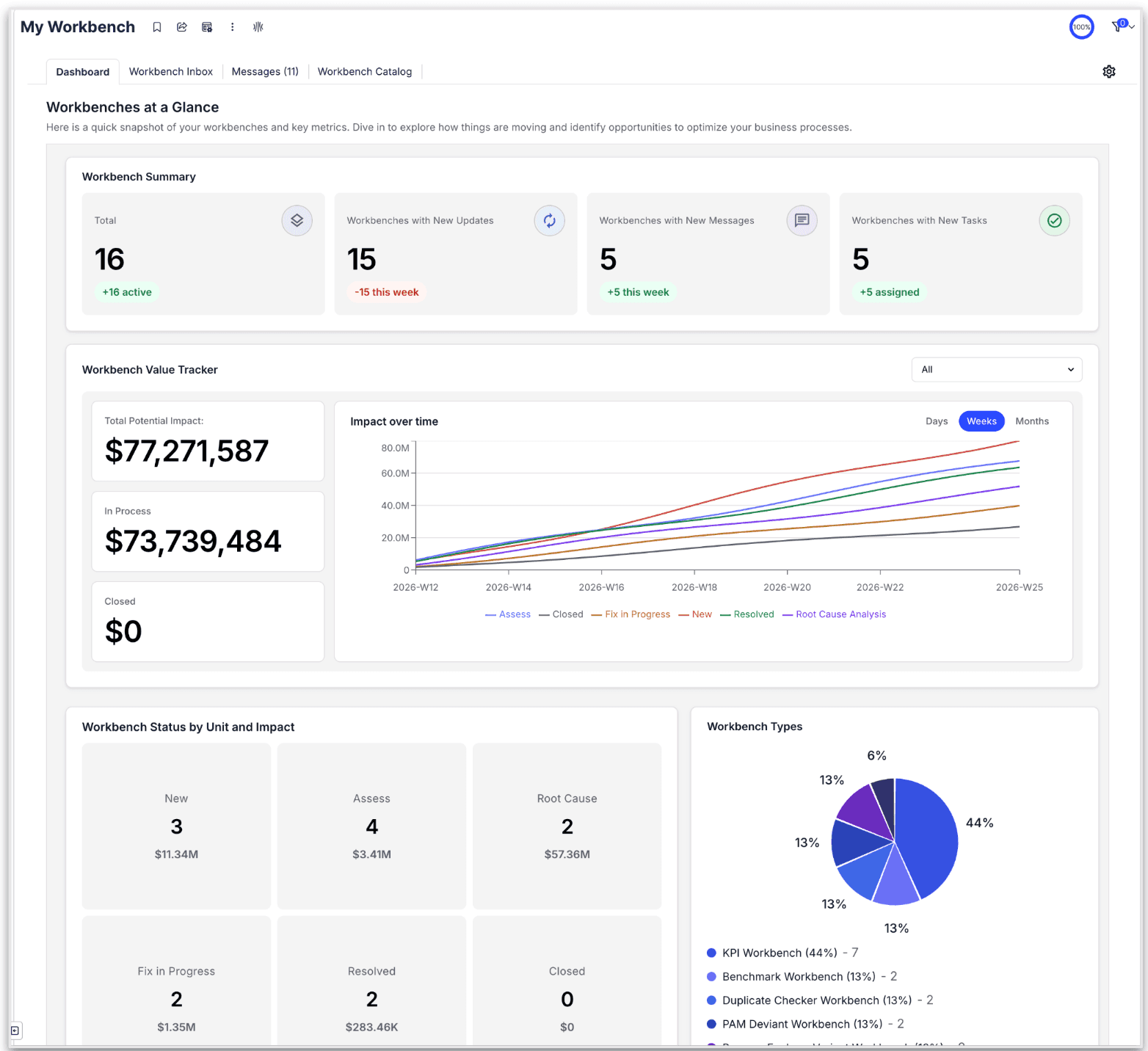
My Workbench Dashboard provides a high-level summary of all your process improvement initiatives. Get quick visibility into status, progress, and activity across all workbenches you're involved in.
- Real-time status and metrics
- Potential impact tracking
- Activity timeline and updates
Stay on Top of Active Issues
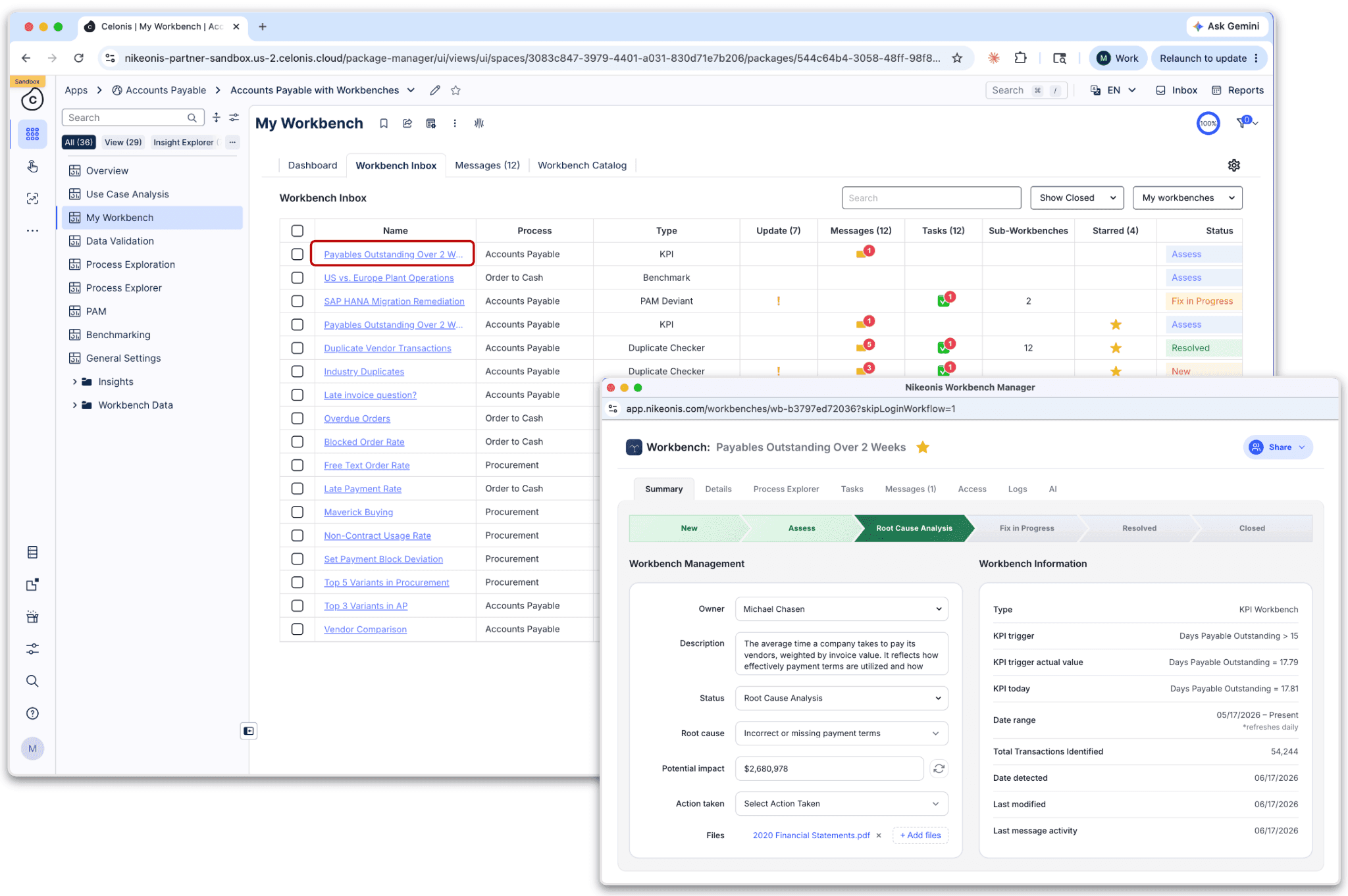
The Workbench Inbox shows all workbenches where you're an owner or contributor, making it easy to review and take action on the issues that matter most.
- Unified view of all assignments
- Priority-based organization
- Quick action access
Complete Workbench Capabilities
Everything you need to manage operational improvements in one place
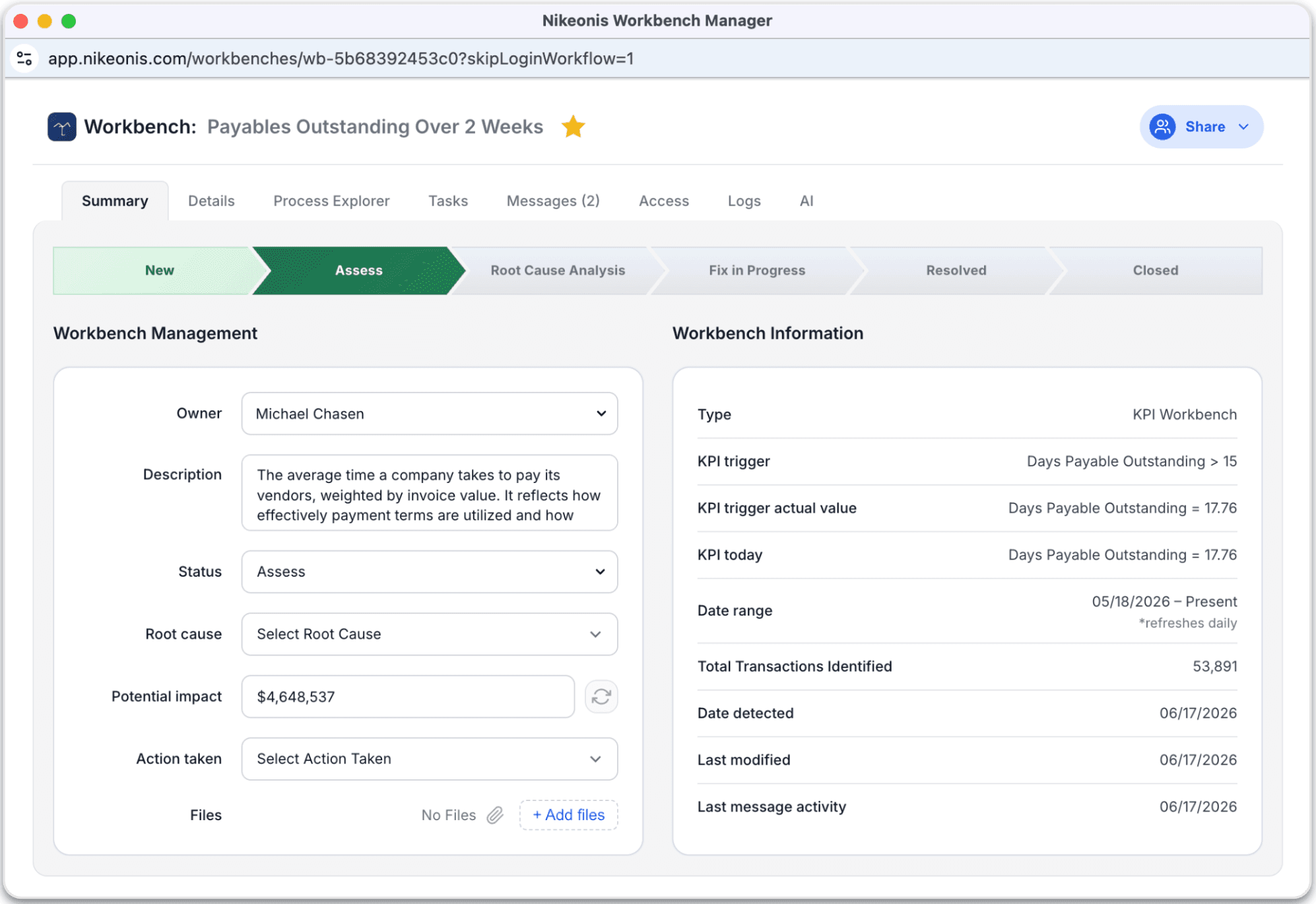
Comprehensive Issue Summary
Highlights the key attributes of the issue, providing a clear overview of the problem, its potential business impact, and the current progress toward resolution. Users can quickly view and update fields such as Status, Root Cause, and Actions Taken.
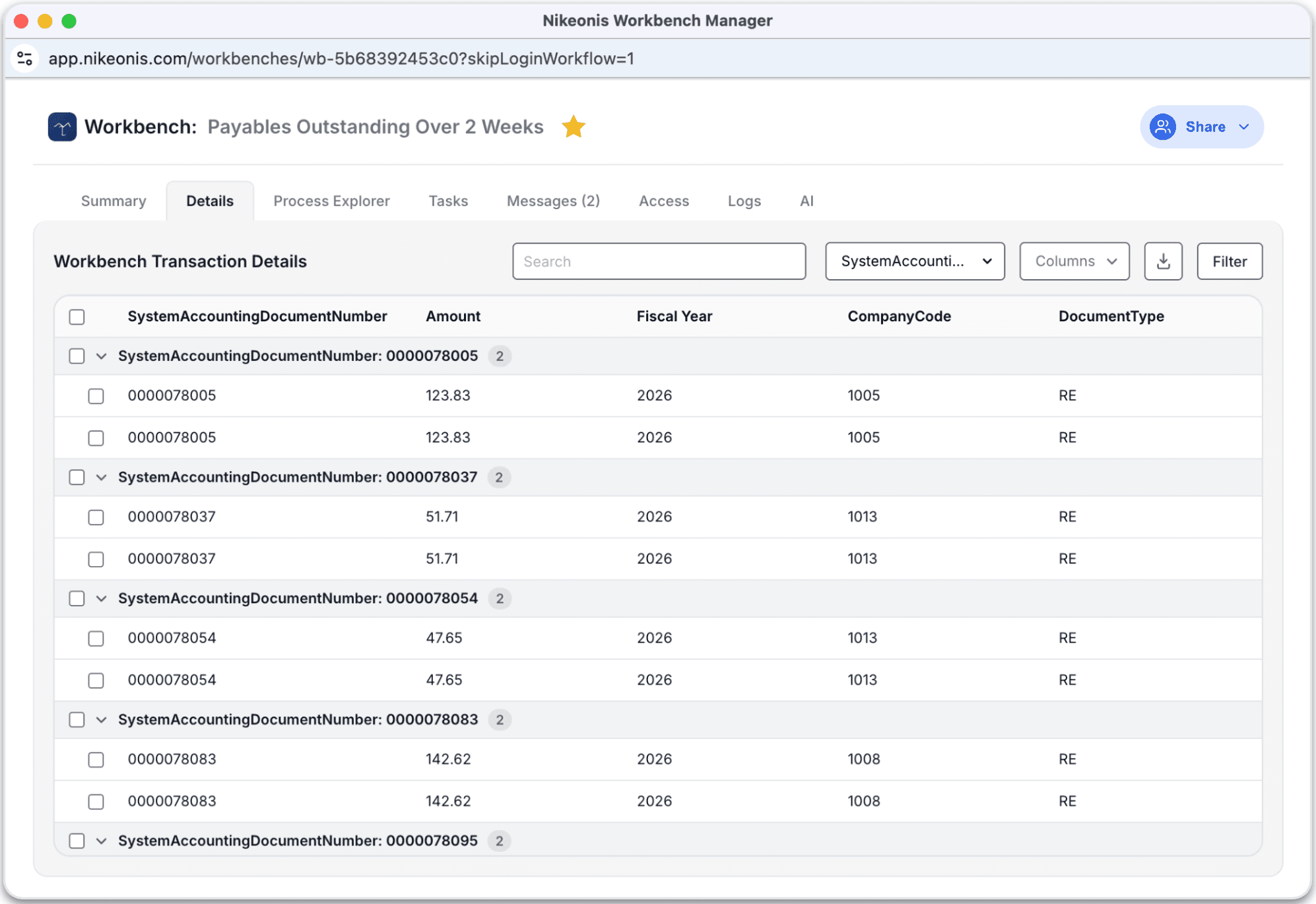
Transaction-Level Context
Displays the specific transactions and records contributing to the issue, allowing users to drill down into the underlying operational data that triggered the workbench ticket.
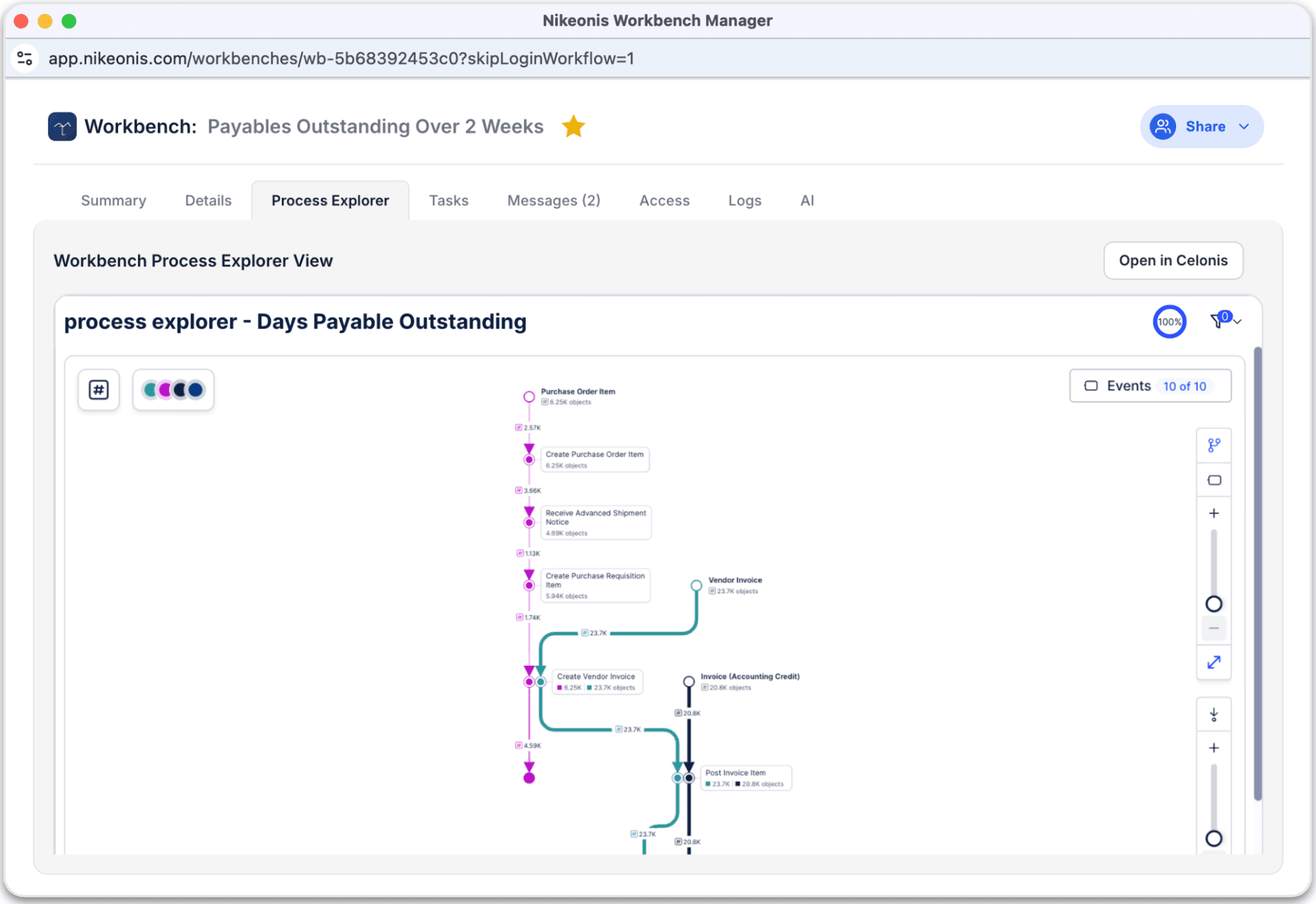
Visualize Process Context
Provides a visual process map showing where the issue occurs within the operational workflow, enabling users to identify bottlenecks, deviations, or breakdowns in the process.
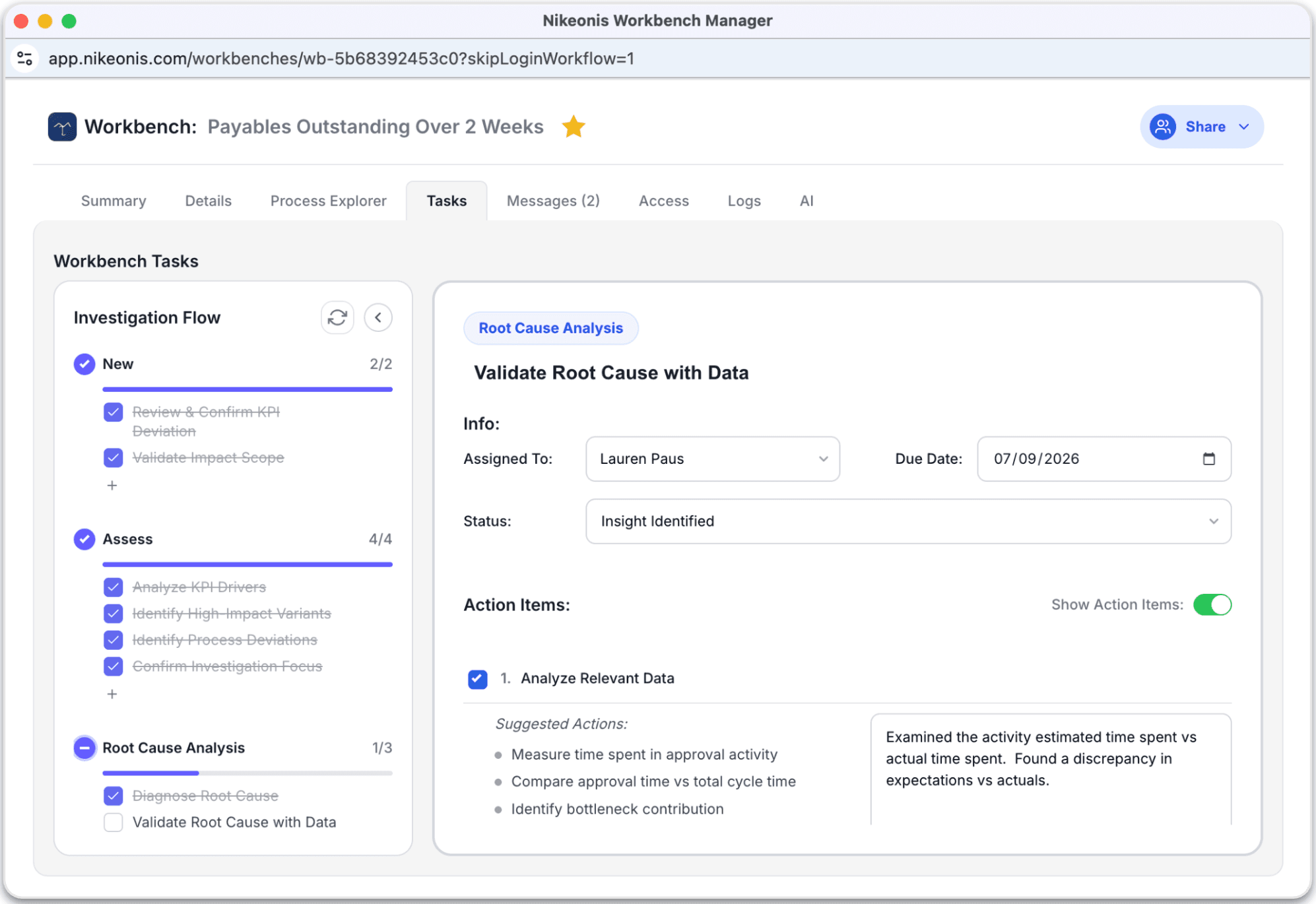
Structured Investigation Workflow
A unified execution layer that orchestrates step-by-step investigation workflows.
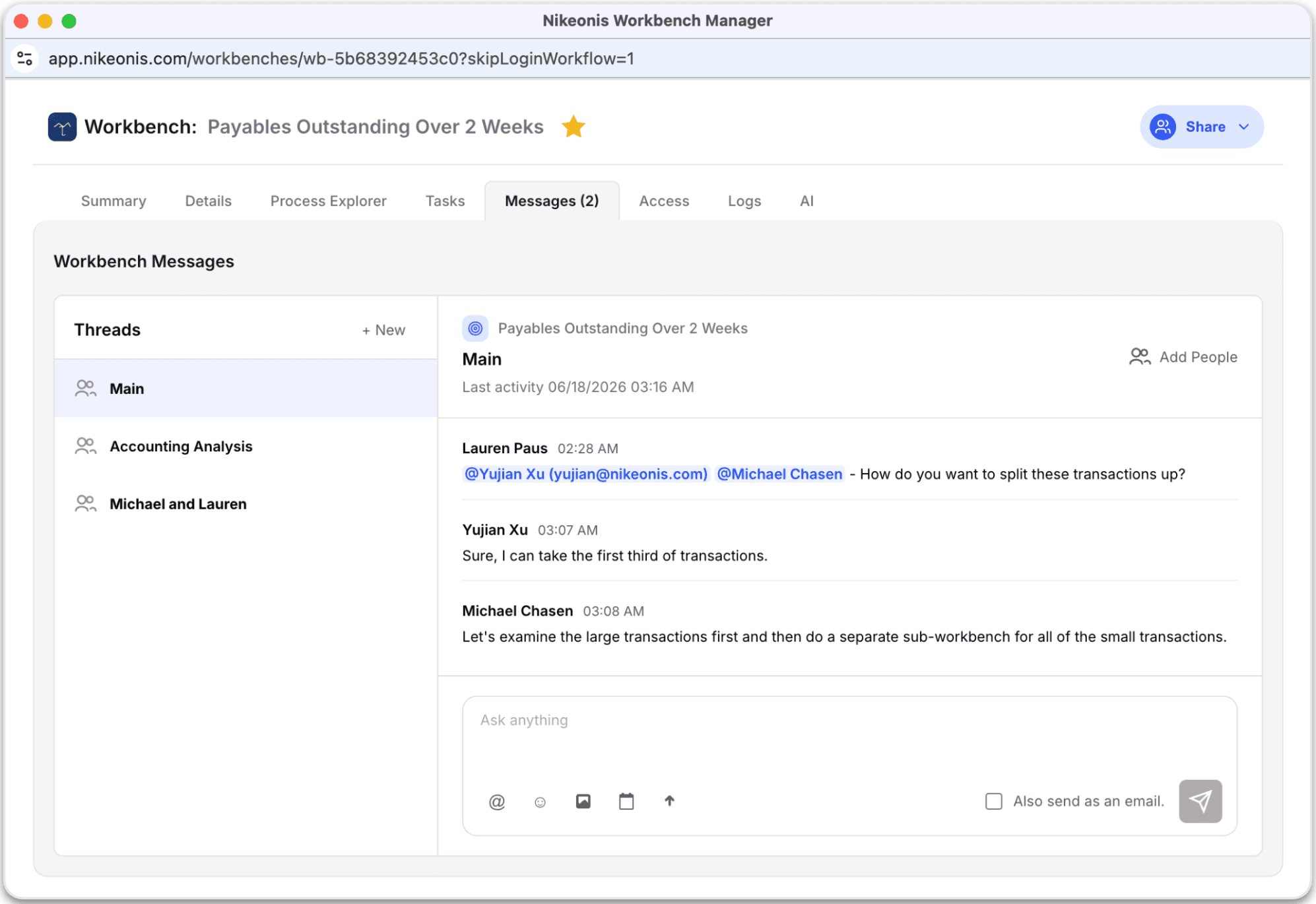
Collaboration and Messaging
A collaboration hub where team members can communicate, document discussions, and maintain a running history of decisions and resolutions related to the issue.
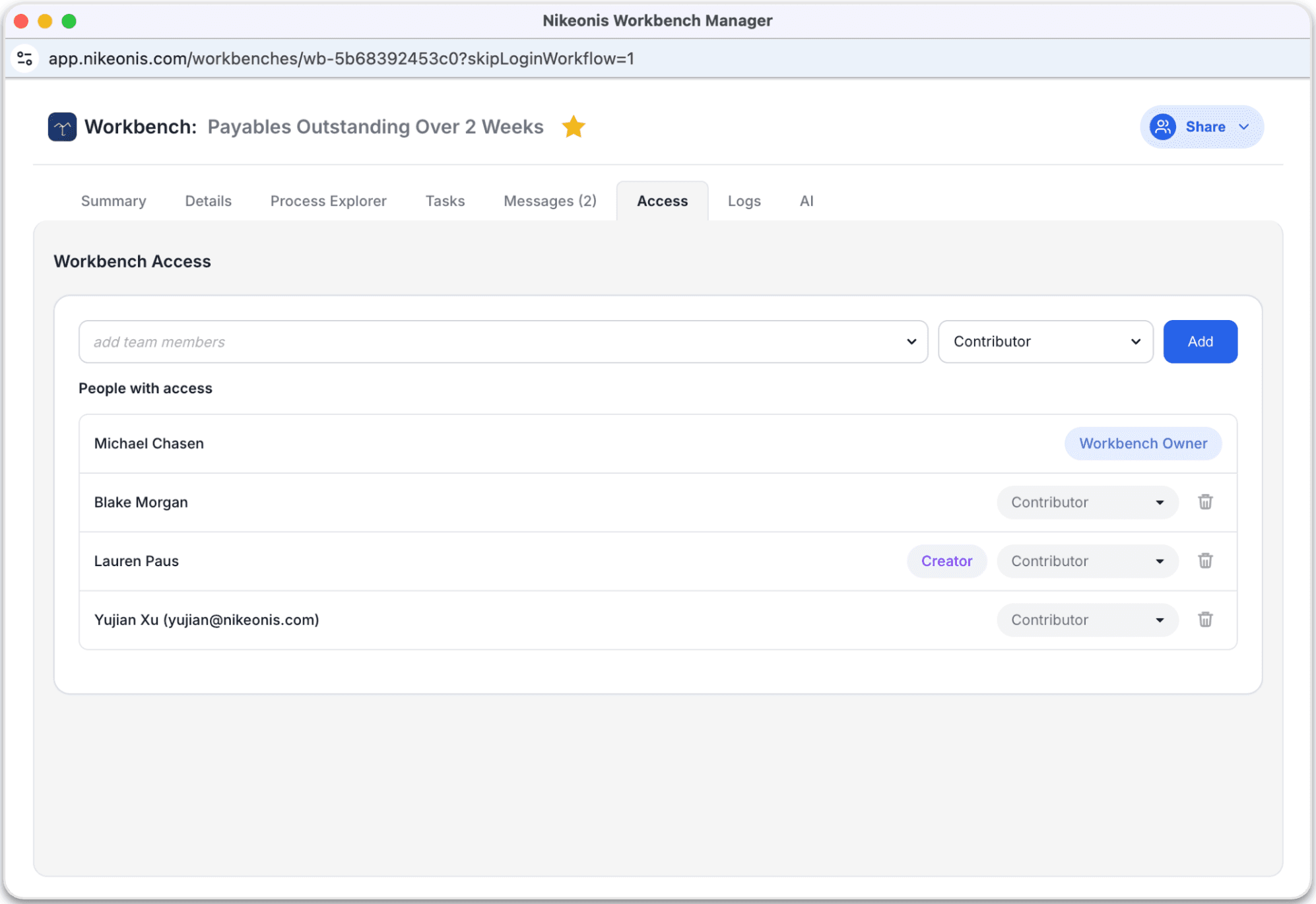
Clear Ownership and Permissions
Lists all individuals involved with the workbench, including the Workbench Owner, Process Owner, Editors, and Viewers, ensuring clear visibility into roles and permissions.
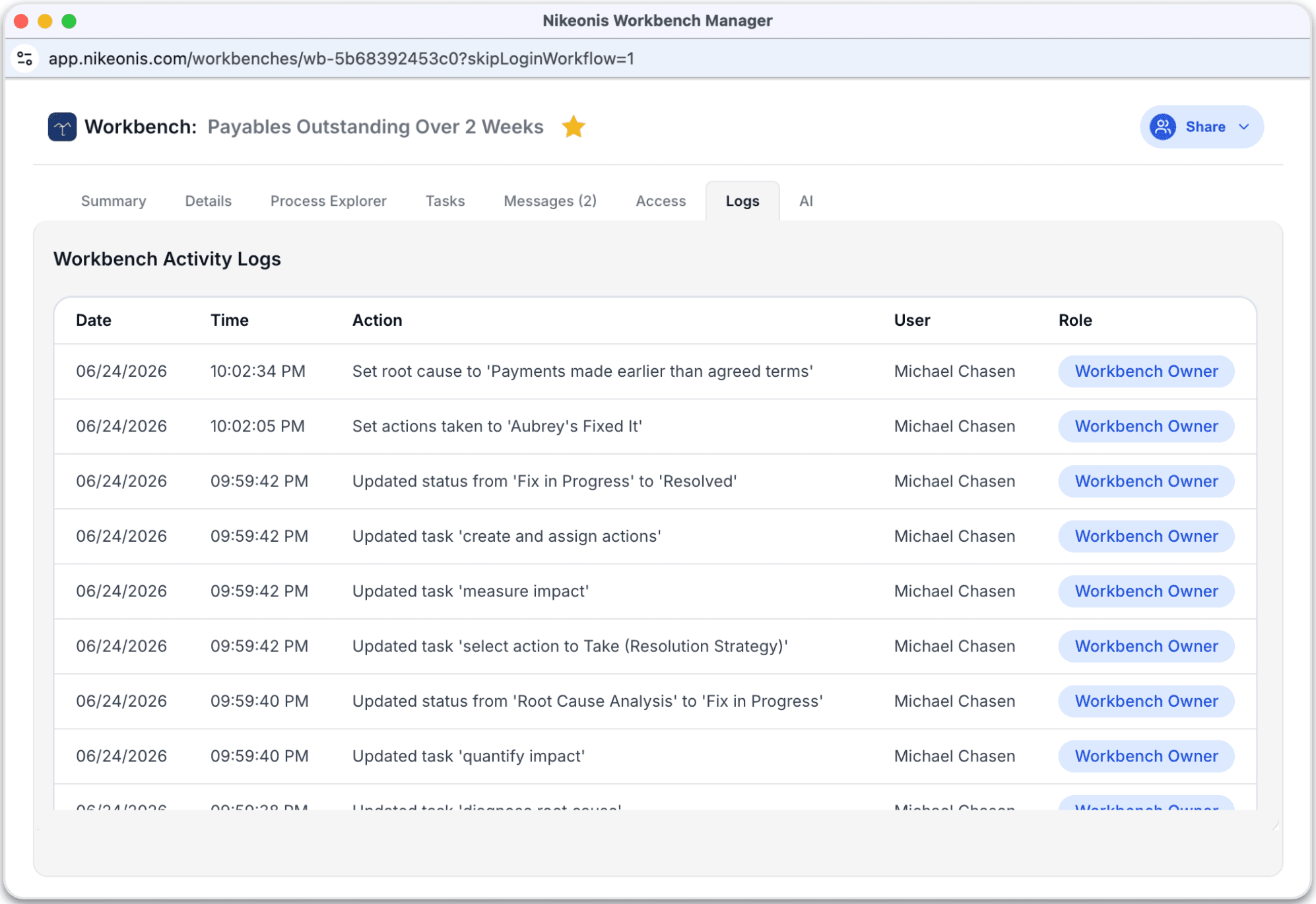
Complete Audit Trail
Maintains a complete audit trail of all changes made to the workbench, automatically recording updates, edits, and status changes for transparency and accountability.
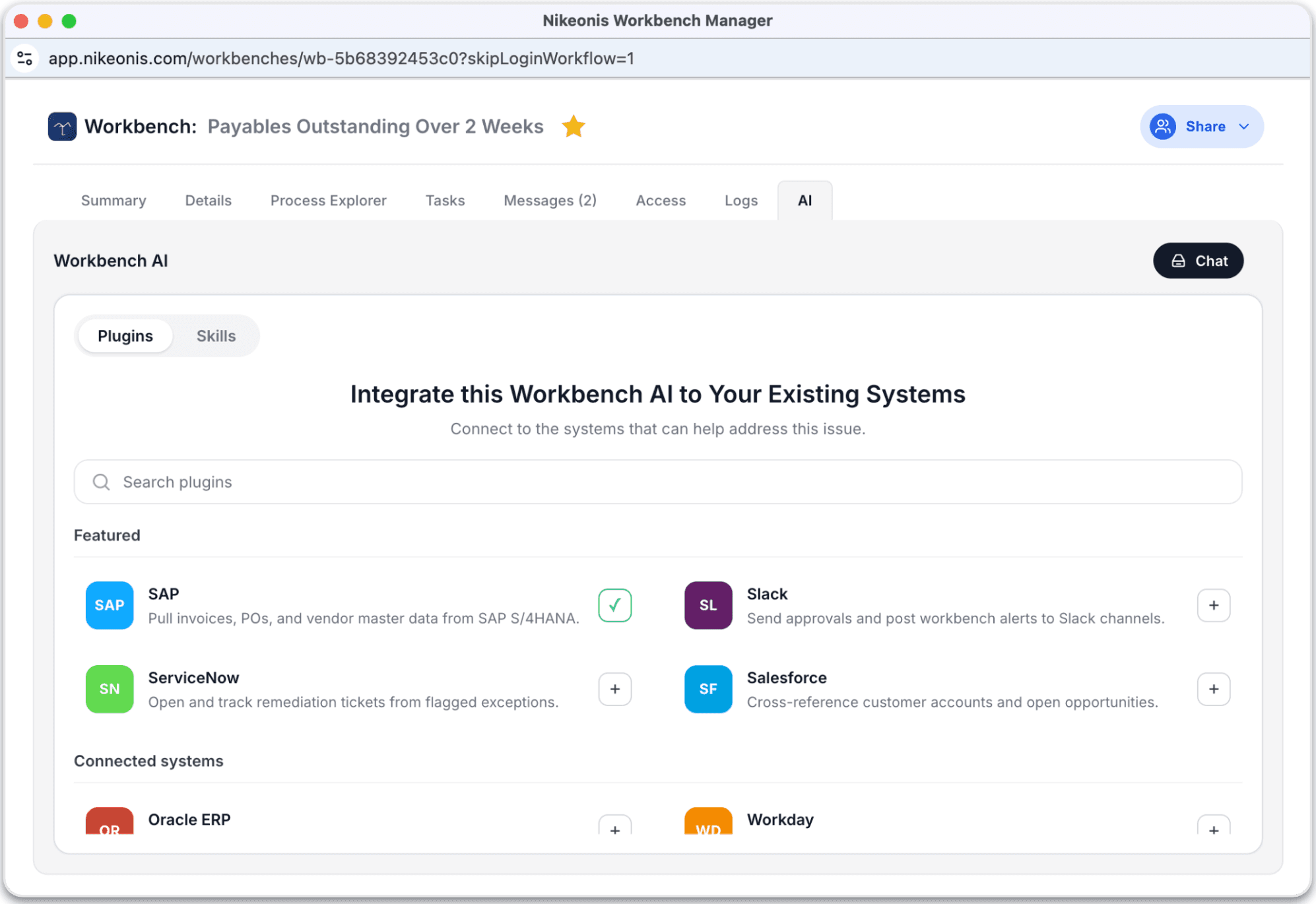
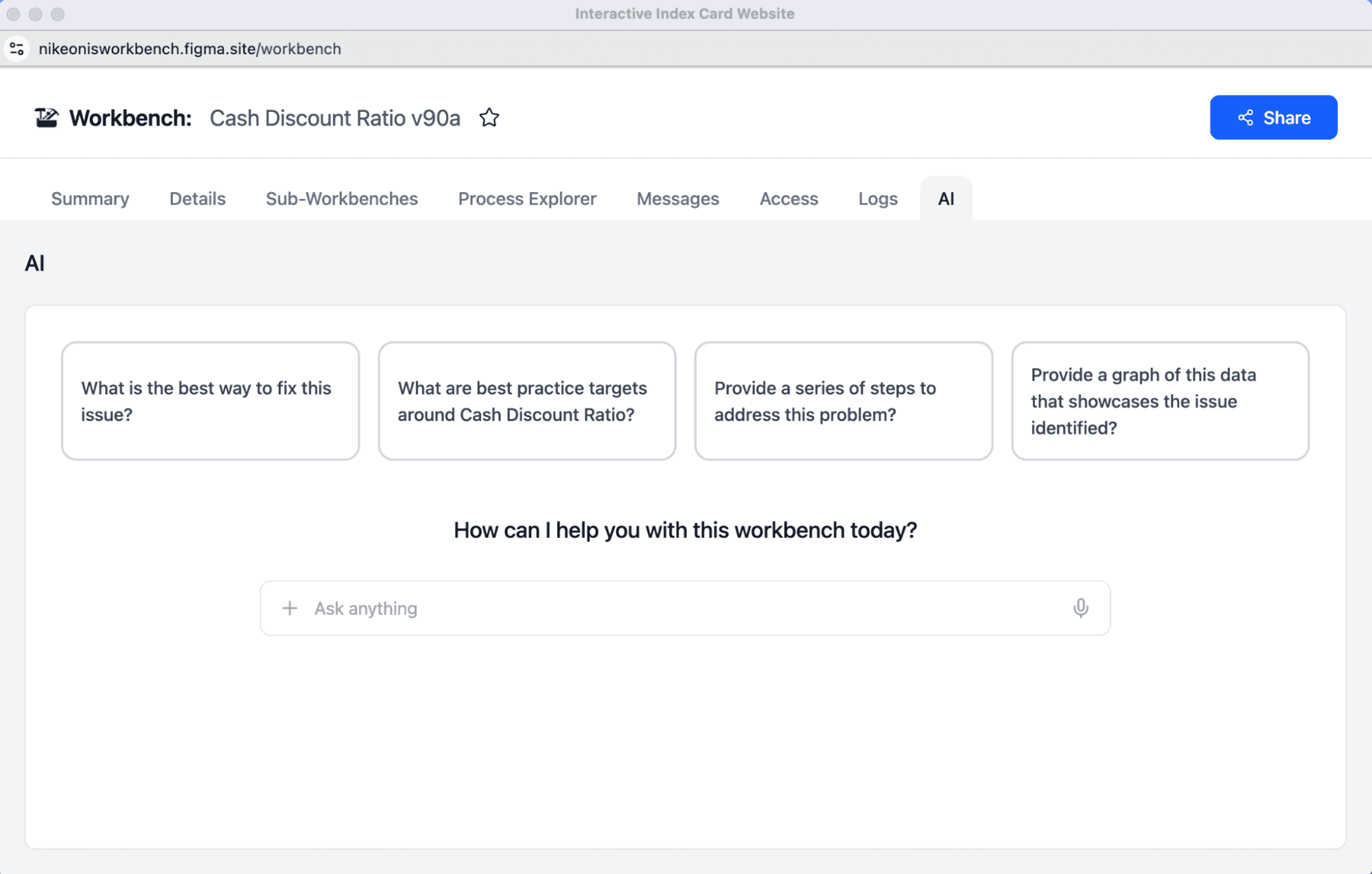
AI-Powered Insights
An intelligent assistant trained on historical issues and company documentation that helps identify root causes, surface insights, and recommend potential actions to resolve the issue more quickly.
AI Agents Can Assist in Fixing the Issue
Each ticket can independently have its own skills and integrations. With the proper oversight the AI can then assist with fixing the outstanding issues.